Upload a Matterport project export without uploading the whole thing
Export a job from Matterport Capture on your iPad or iPhone, skip Matterport's cloud, and send only the few megabytes needed to build the tour.
Build a tour before it ever touches Matterport
The Capture app exports a complete measured backup on your iPad or iPhone with no Matterport subscription.
Normally a scan from a Matterport Pro3 or Pro2 has to be uploaded from the Capture app to Matterport's servers on an active plan before anyone can walk through it or order an E57 file. When you want a virtual tour straight from your own camera, or you have raw job backups saved from earlier projects, that cloud step locks your scan inside another subscription.
Matterport Capture has a built in Export option in every job's menu on iPad and iPhone. It writes the local project out to Files, an external drive, AirDrop or cloud storage as a ZIP archive before anything is uploaded to Matterport. Spacery's Capture importer builds a walkable 3D space straight from that backup.
Why a Matterport project export is so large
Almost the whole ZIP is raw camera data that only Matterport's cloud uses.
Open a Capture export from a Pro3 or Pro2 and you will find dozens of SWL files beside a folder called SweepProcessorData. Those SWL containers hold the raw ungraded sensor brackets from every spin of the camera, so a forty scan building easily reaches five to ten gigabytes.
Alongside them, SweepProcessorData already holds what the tablet itself computed while you scanned. Its manifest.mfst file stores the aligned metric position and rotation of every scan, the PB files hold each scan's LiDAR or depth point cloud, the DAM files calibrate the cube layout, and the JPEG files hold the stitched cube faces. Together those measured files are usually thirty to eighty megabytes, less than a hundredth of the full backup.
Upload the export without sending gigabytes
Drop the full backup and your browser strips out the heavy raw files before uploading.
You do not have to unpack or prune the archive by hand. Drop the Capture export ZIP or the unzipped job folder onto Spacery and the page reads its directory locally on your computer, leaves the multi gigabyte SWL files and duplicate thumbnails behind, and uploads one compact archive of SweepProcessorData and metafile.json. A six gigabyte Pro3 backup uploads in seconds as roughly forty megabytes and fits comfortably inside your free private preview.
The same trimming runs when your own agent uploads a job folder or ZIP from disk through the Spacery connector. And if you already unpacked the backup on a drive, you can drop the SweepProcessorData folder on its own and keep the SWL files offline.
What Spacery builds from a raw Capture backup
Every aligned scan sits at its measured position in meters, with a 3D dollhouse model.
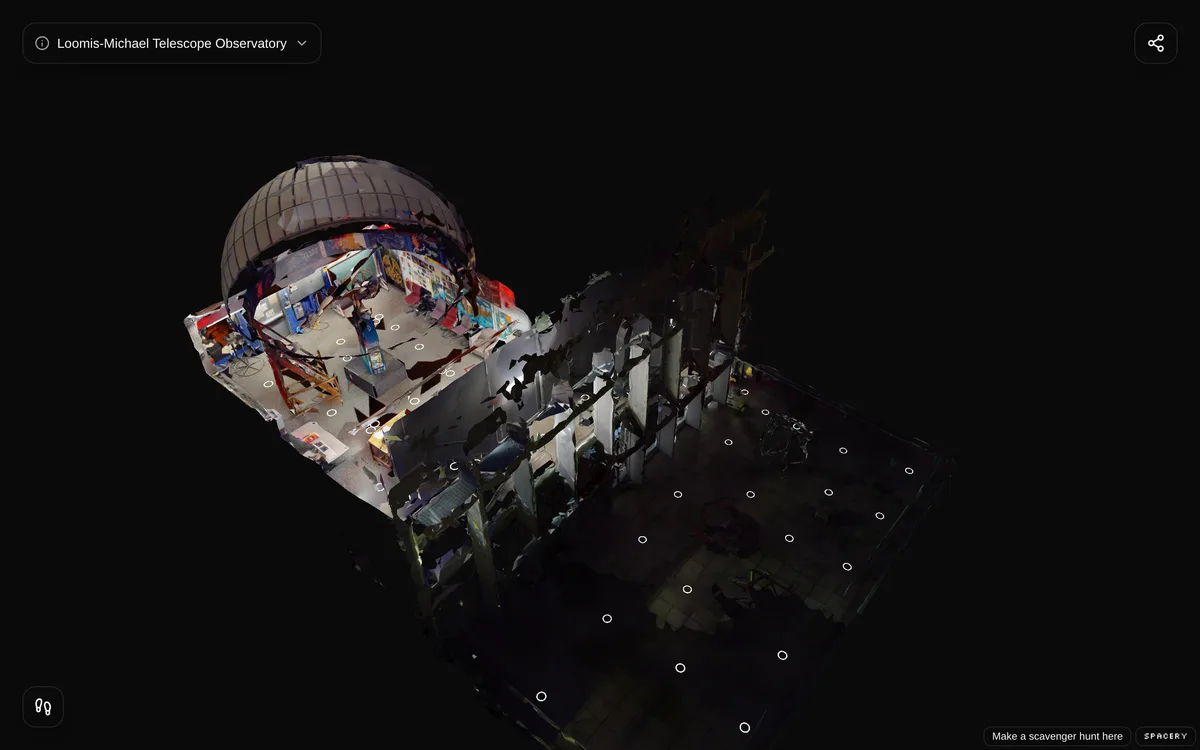
Spacery places every aligned scan from manifest.mfst in real meters, fuses the per scan depth clouds into a textured surface model of up to 50,000 triangles, measures the floor under each tripod position, and connects scans by line of sight and the Capture app's alignment tree. Visitors step cleanly from scan to scan, pull back into a 3D dollhouse view, and open the tour in any browser or VR headset.
Be aware of one trade off in image sharpness. The Capture app saves 512 pixel cube faces that are already stitched and color graded on the device, whereas Matterport's servers develop sharper panoramas from the raw SWL frames and camera color tables. Layout, scale and the 3D model are measured, while first person views look softer on a large monitor than an E57 export or a Matterport link. When higher resolution cube faces are present in SweepProcessorData, Spacery uses them automatically.
Saved Showcase archives and open files
Spaces you already processed or archived come over too, and every finished tour downloads in open formats.
If your space is still live on Matterport, pasting its link copies its 2048 pixel panoramas, dollhouse mesh and Mattertags in a few minutes with nothing to upload at all. If you archived a Matterport Showcase folder locally or ordered an E57 file, upload that archive and Spacery converts it the same way.
Once a space is hosted on Spacery for $5 a month, Download everything gives you the finished panoramas, the GLB mesh and the JSON scene in one portable ZIP that runs offline in the open source SPHR viewer.